
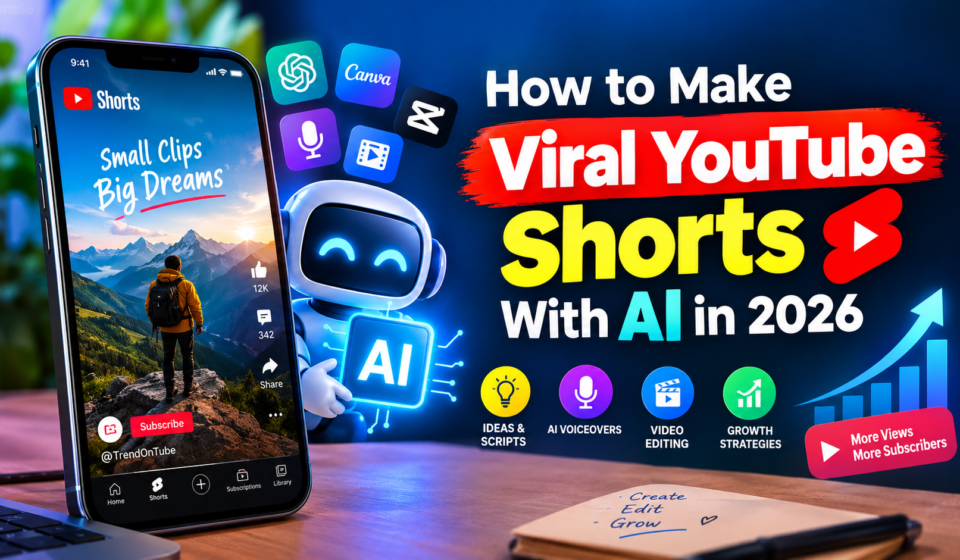

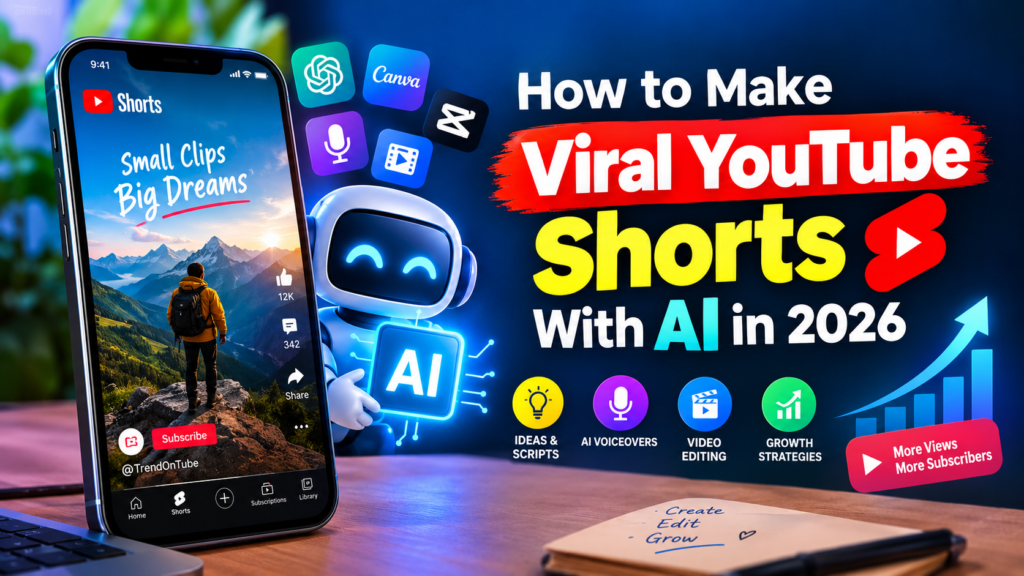
How to Make Viral YouTube Shorts With AI in 2026
YouTube Shorts has become a powerful way for creators to reach new audiences, grow their channels, and build an online presence. With the help of artificial intelligence (AI), creating engaging short-form videos is easier and faster than ever. You can use AI tools to generate video ideas, write scripts, create voiceovers, produce visuals, add captions, and improve your editing workflow without expensive equipment.
However, using AI alone does not guarantee viral success. The key is to combine AI-powered tools with creative storytelling, audience research, effective editing, and a strong understanding of what makes people watch and share videos.
In this guide, you’ll learn how to make viral YouTube Shorts with AI in 2026, discover useful AI tools, explore profitable content ideas, and follow a step-by-step process to create Shorts that can attract more views and subscribers.
What Are AI-Generated YouTube Shorts?
AI-generated YouTube Shorts are short-form videos created with the assistance of artificial intelligence. Depending on the tools you use, AI can help with everything from brainstorming and scriptwriting to generating visuals, narrating stories, and editing footage.
You don’t necessarily need to generate an entire video using AI. Many successful workflows combine AI assistance with original footage, human creativity, and manual editing.
For example, you could create a YouTube Short about five surprising facts about space by using AI to outline the script, generate supporting visuals, produce a voiceover, and suggest captions. You would then review the facts, refine the narration, edit the final video, and publish it on your channel.
Common types of AI-assisted YouTube Shorts include:
- Educational videos and interesting facts
- Motivational and inspirational Shorts
- Faceless storytelling videos
- AI-generated animation and fictional stories
- Technology tips and tutorials
- History and science explainers
- Product demonstrations and reviews
- Personal finance education
- Travel and nature videos
- Quick how-to guides
The best format depends on your audience, subject knowledge, creative skills, and ability to offer something viewers cannot easily find elsewhere.
Why Use AI to Create YouTube Shorts in 2026?
AI can simplify many time-consuming parts of video production, making it easier for beginners and experienced creators to publish consistently.
Here are some of the biggest advantages of using AI for YouTube Shorts.
1. Create Videos Faster
Traditional video production may require brainstorming, writing, recording, editing, and captioning. AI tools can speed up several of these steps.
For example, you can use an AI writing assistant to generate script ideas, a voice generator to create narration, and a video editor to help assemble clips.
This allows you to spend less time on repetitive tasks and more time improving your content.
2. Start a Faceless YouTube Channel
You don’t need to appear on camera to create engaging YouTube Shorts. AI-assisted videos can combine narration, animations, screen recordings, original graphics, and licensed stock footage.
Faceless formats are particularly useful for educational channels, storytelling projects, tutorials, and documentary-style content.
However, faceless does not mean effortless. Your videos still need original ideas, accurate information, meaningful narration, and a recognizable style.
3. Reduce Production Costs
AI tools can help beginners produce videos without immediately investing in professional cameras, studio equipment, or a large editing team.
Some tools offer free plans, although advanced features may require a subscription. You can start with a simple combination of a writing assistant, a free video editor, and YouTube’s built-in creation features.
4. Experiment With More Content Ideas
AI can help you explore different hooks, video concepts, story structures, and presentation styles.
For instance, one topic about artificial intelligence could become several distinct videos:
- Three AI tools beginners should know
- Common AI mistakes to avoid
- How AI is changing everyday work
- Practical ways to use AI more efficiently
- AI myths that deserve a second look
Each video should offer a distinct takeaway rather than simply repeating the same script with different visuals.
5. Improve Accessibility
AI-assisted captions, translations, and voiceovers can help make your content accessible to more viewers.
You should still review automated captions and translations carefully, especially when videos contain technical terminology, names, numbers, or information that could be misunderstood.
Best AI Tools for Creating YouTube Shorts in 2026
Choosing the right tools can make your production process more efficient. You don’t need every tool available; start with a small set that meets your needs.
1. ChatGPT for Video Ideas and Scripts
ChatGPT can help you brainstorm topics, research questions, structure short scripts, write opening hooks, and develop calls to action.
You can also use it to generate alternative versions of a script so you can compare different storytelling approaches.
Best for: Content planning, scriptwriting, hooks, and brainstorming.
2. Canva for Visual Design
Canva offers design tools that can help you create title cards, graphics, backgrounds, and other visual elements for short videos.
It is particularly useful for creators who want a consistent visual identity without designing every asset from scratch.
Best for: Graphics, text overlays, branded visuals, and simple video projects.
3. CapCut for Video Editing
CapCut provides video editing features that can help creators trim clips, add captions, adjust timing, and apply visual effects.
Feature availability can vary by device, region, and subscription.
Best for: Editing, captions, transitions, and short-form video production.
4. ElevenLabs for AI Voiceovers
ElevenLabs offers AI voice generation and related audio tools that can help creators produce narration for videos.
Choose a voice that matches your content and sounds natural when paired with your script. Use only voices and voice clones you are authorized to use.
Best for: Narration, storytelling, and voiceover production.
5. Runway for AI Video Generation
Runway provides AI-powered video creation and editing capabilities that can help creators develop visual sequences from prompts and other inputs.
It can be useful when you need original visual material for a story, explainer, or creative concept.
Best for: AI-generated scenes, creative visuals, and experimental video production.
6. YouTube’s Built-In AI Creation Features
YouTube continues to introduce AI-assisted features within its creation tools. Depending on availability in your region and account, these may include generated backgrounds, short video clips, and other creative effects.
Consult the official YouTube Help guide to AI features for Shorts for current availability and instructions.
Best for: Creators who want to experiment with AI-assisted content directly within YouTube.
Pro tip: Start with two or three tools instead of paying for multiple subscriptions. Your script, storytelling, and editing decisions will generally matter more than the number of AI tools you use.
How to Make Viral YouTube Shorts With AI: Step-by-Step Guide
Now that you understand the benefits and available tools, let’s explore a practical workflow for creating engaging YouTube Shorts with AI.
Step 1: Choose a Niche With Audience Potential
Your niche influences the topics you cover, the audience you attract, and the type of content you can produce consistently.
Rather than selecting a topic simply because someone else received millions of views, look for an area where you can provide useful, entertaining, or distinctive content.
Here are some potential niches for AI-assisted YouTube Shorts:
| Niche | Example Video Idea | Content Approach |
|---|---|---|
| AI tools | 3 AI tools that save time | Demonstrations and tutorials |
| Science | Why do astronauts float in space? | Visual explanations |
| History | The surprising story behind an ancient invention | Storytelling |
| Personal finance | 3 budgeting mistakes beginners make | Practical education |
| Technology | Hidden features on your smartphone | Screen recordings |
| Motivation | One habit that can improve your daily routine | Original narration |
| Language learning | 5 English phrases beginners often misuse | Quick lessons |
| Nature | How certain animals survive extreme conditions | Educational visuals |
| Productivity | How to plan your day in five minutes | Actionable tips |
| Digital marketing | 3 ways to improve your video titles | Tutorials |
Before choosing a niche, examine existing videos, viewer comments, search suggestions, and questions people repeatedly ask.
Look for topics where you can offer a clearer explanation, a better demonstration, a fresh perspective, or more useful information.
Step 2: Research Topics People Want to Watch
Even a well-edited video can struggle if the subject does not interest your target audience.
Use YouTube search suggestions, Google Trends, competitor research, and your own YouTube Analytics data to identify potential topics.
You can also ask AI to organize your ideas into topic clusters and suggest questions viewers may have.
Try this prompt in ChatGPT:
AI prompt for YouTube Shorts ideas:
“Act as a YouTube Shorts strategist. Generate 20 original video ideas for a channel about [your niche]. Focus on specific audience problems, curiosity-driven questions, useful tips, and interesting facts. For each idea, provide a target audience, a compelling opening hook, and the main takeaway. Avoid unsupported claims and repetitive concepts.”
Review the suggestions before making videos. AI-generated ideas are starting points, not proof that a topic is trending or has low competition.
To evaluate demand, compare related searches and examine how recently published videos perform. Look for repeated audience interest rather than relying on one unusually successful upload.
Step 3: Write a Powerful Hook
The opening moments of your Short are important because viewers can quickly swipe to another video.
Your goal is to give viewers a clear reason to keep watching.
Avoid long introductions, unnecessary greetings, and generic openings such as “Welcome back to my channel.”
Instead, begin with a question, a surprising but accurate fact, a relatable problem, or a specific promise.
Examples of effective hooks:
- “You’re probably using this AI tool the wrong way.”
- “Here are three mistakes that can hurt your YouTube Shorts.”
- “Why do astronauts appear weightless in space?”
- “This simple editing technique can make your videos easier to follow.”
- “Before you start a faceless YouTube channel, understand this.”
Your hook should accurately represent what the video delivers. Don’t promise a shocking discovery or extraordinary result if the content cannot support it.
You can use AI to generate several hooks and then select the one that best fits your subject.
AI prompt for hooks:
“Write 10 short, natural opening hooks for a YouTube Short about [topic]. Make them clear, specific, and curiosity-driven. Avoid clickbait, exaggerated promises, and misleading claims. Each hook should lead naturally into the main content.”
Read the options aloud and remove anything that sounds unnatural or overly promotional.
Step 4: Generate a Short, Engaging Script
Once you have your hook, create a script that delivers value without unnecessary filler.
For a beginner, a useful structure is:
- Hook: Give viewers a reason to watch.
- Context: Explain the problem or topic.
- Main content: Deliver the promised information or story.
- Payoff: Provide the answer, result, or key lesson.
- Call to action: Invite a relevant next step when appropriate.
For example, a Short about AI productivity tools might open with a common problem, demonstrate three practical solutions, and conclude with a suggestion to try one tool.
Keep your sentences easy to understand and write for spoken delivery rather than formal reading.
AI prompt for scriptwriting:
“Write an original YouTube Shorts script about [topic] for [target audience]. Start with a compelling hook, explain the main idea clearly, and deliver three useful points. Use natural spoken language, short sentences, and a satisfying conclusion. Include visual suggestions and on-screen text. Avoid repetition, invented facts, and exaggerated claims. Target a video duration of approximately 30–45 seconds.”
Always fact-check the result, particularly if your video covers health, finance, history, science, or current events.
Step 5: Create a Voiceover
A clear voiceover helps guide viewers through your video and gives the visuals a purpose.
You can record your own voice using a smartphone or microphone, or use an AI voice generator if it suits your format.
If you choose an AI voice, pay attention to:
- Natural pacing and pronunciation
- Appropriate pauses
- Clear emphasis on important words
- Consistent volume
- A tone that fits the subject
Avoid speaking too quickly just to fit more information into the video. A concise script with a clear message is often more effective than a rushed narration filled with facts.
If you use a synthetic voice, ensure you have the necessary rights and permissions for the tool and voice you select.
Step 6: Generate or Collect Relevant Visuals
Your visuals should help explain the story rather than simply fill the screen.
Depending on your niche, you can combine original footage, screen recordings, animations, AI-generated scenes, diagrams, and properly licensed stock footage.
For example, a video about space exploration might include an original narration, generated illustrations of planets, labels identifying important objects, and simple animations that explain the concept.
When using AI video generation, write prompts that specify the subject, action, setting, composition, lighting, and visual style.
Example AI video prompt:
“Create a vertical 9:16 cinematic educational scene showing a futuristic space station orbiting Earth. Show the planet’s curved horizon, sunlight reflecting off the station, and stars in the background. Use smooth camera movement, realistic lighting, and a clear composition suitable for a short educational video. Do not include text, logos, or watermarks.”
Review every generated clip for visual errors, inconsistent details, and misleading representations.
Also ensure that any real people, recognizable characters, music, photographs, or third-party footage are used in accordance with applicable rights and platform rules.
Step 7: Edit the Video for Retention
Good editing makes your Short easier to follow and helps viewers stay focused on the message.
You can use CapCut, YouTube’s built-in tools, or another editor to assemble your footage and narration.
Consider these editing techniques:
Use a vertical format: A 9:16 video is a practical default for full-screen mobile viewing.
Remove unnecessary pauses: Trim sections that do not contribute to the story.
Add readable captions: Many viewers watch in environments where audio is inconvenient. Make captions accurate and easy to read.
Use purposeful visual changes: Switch between relevant clips, graphics, demonstrations, and text when they help explain the content.
Balance the audio: Make sure narration is clear and background music does not overpower it.
Deliver the promised payoff: Don’t stretch a simple answer into a much longer video merely to increase its duration.
YouTube supports Shorts of up to three minutes, subject to its current format requirements. You do not need to use the maximum length. Choose a duration that suits the story and keeps the content useful.
Step 8: Add Music and Sound Effects Carefully
Music can establish a mood, while sound effects can emphasize a transition or important moment.
However, audio should support your content rather than distract from it.
Use music that you have permission to use, such as suitable tracks from YouTube’s audio library or properly licensed sources.
Be particularly careful when using AI-generated music or music from external tools. Check the applicable licensing terms and whether the audio is permitted for your intended use.
Keep background music at a level that allows the narration to remain clear.
Step 9: Optimize Your Title and Description
YouTube SEO can help viewers understand what your video covers and help the platform match it with relevant audiences.
Your title should accurately describe the content while giving people a reason to watch.
For example, if your Short explains useful AI tools, a suitable title could be:
3 AI Tools That Can Save You Time in 2026
If your video teaches a specific editing technique, a more relevant title would be:
How to Add Auto Captions to YouTube Shorts
Use the main keyword naturally when it describes the subject. Avoid stuffing the title with unrelated search terms.
For the description, write one or two useful sentences explaining the video’s main topic. You can include a relevant secondary keyword if it fits naturally.
For example:
“Discover three practical AI tools that can help creators brainstorm ideas, write video scripts, and streamline their YouTube Shorts workflow.”
You can also use a small number of relevant hashtags, such as #YouTubeShorts, #AITools, or a niche-specific tag.
Hashtags are not a guarantee of higher reach. Relevance and viewer satisfaction matter more than adding a long list of tags.
Step 10: Publish Consistently and Analyze Performance
Consistency helps you develop a repeatable production process and learn which topics resonate with your audience.
However, publishing more videos is not automatically better if quality declines.
Start with a realistic schedule, such as three to five Shorts per week if you can maintain that pace without sacrificing originality.
After publishing, review your performance in YouTube Studio.
Pay attention to metrics such as:
- Viewed versus swiped away: Helps you understand how often viewers choose to watch rather than skip.
- Audience retention: Shows where viewers continue watching or leave.
- Average view duration: Helps you assess how long viewers watch.
- Average percentage viewed: Provides context about how much of the video people watch.
- Engaged views: Helps you understand how many viewers meaningfully engaged with your Shorts under YouTube’s measurement system.
- Subscribers gained: Shows whether your videos attract people who want more content from your channel.
Interpret these metrics together rather than assuming that one number determines success.
For example, if viewers frequently leave before your main point, try improving the hook or reducing the introduction. If viewers watch but few subscribe, consider whether your topic and channel offer a clear reason to return.
Use these observations to improve your next video.
Best AI YouTube Shorts Ideas for 2026
Choosing repeatable content formats can make it easier to plan your production schedule. Here are several ideas you can adapt to your own niche.
1. AI Tools and Tutorials
Show viewers how to solve a specific problem using an AI tool.
Example titles:
- 3 Free AI Tools Every Beginner Should Know
- How to Write Better Video Scripts With AI
- This AI Workflow Can Simplify Content Planning
Whenever possible, demonstrate the tools directly rather than relying entirely on generic narration.
2. Interesting Facts and Educational Videos
Use short explanations to answer questions about science, nature, technology, or history.
Example titles:
- Why Is Space So Cold?
- 3 Facts About the Human Brain
- How Do Satellites Stay in Orbit?
Verify facts using reliable sources, and use visuals that accurately represent the subject.
3. Faceless Storytelling
Tell original stories using narration, illustrations, animation, and carefully selected scenes.
Potential topics include unusual historical events, fictional mysteries, scientific discoveries, and real-world problem-solving stories.
Build each video around a clear narrative rather than a random sequence of generated images.
4. Productivity and Self-Improvement
Create short videos about practical habits, planning techniques, learning methods, and common productivity challenges.
Example titles:
- A Simple Way to Plan Your Day
- 3 Habits That Make Studying Easier
- How to Stop Overcomplicating Your To-Do List
Make realistic claims and focus on advice viewers can actually apply.
5. Technology Tips
Explain useful features, common mistakes, and simple solutions involving devices, apps, and online services.
Example titles:
- 3 Smartphone Features You Should Try
- How to Organize Your Digital Files
- Simple Browser Tips That Save Time
Screen recordings can make this format more useful than generic AI-generated visuals.
6. AI Animation and Creative Experiments
Use AI tools to develop imaginative scenes, animated characters, or visual explanations.
You could create a fictional world, visualize an original story, or explain a complex idea through animation.
Keep the concept distinct and give each video a meaningful creative purpose.
How to Use AI Prompts to Create Better YouTube Shorts
A well-written prompt can improve the quality of your initial ideas and reduce the time spent revising them.
Instead of asking AI to “make a viral video,” provide specific information about the audience, topic, style, and desired outcome.
Here is a reusable prompt you can adapt:
Complete AI prompt for YouTube Shorts:
“Act as an experienced YouTube Shorts scriptwriter and video strategist. Help me create an original Short about [TOPIC] for [TARGET AUDIENCE].
Follow these requirements:
- Suggest three compelling but accurate opening hooks.
- Select the hook most relevant to the target audience.
- Write a concise script suitable for a [DURATION]-second video.
- Use natural spoken language and short sentences.
- Divide the script into scenes with suggested visuals.
- Recommend on-screen captions for key points.
- Suggest suitable background music or sound effects without requiring copyrighted material.
- Provide three accurate, engaging title options.
- Write a concise, keyword-relevant description.
- Suggest a few relevant hashtags.
Make the content informative, entertaining, and original. Avoid clickbait, repetitive wording, unsupported facts, and exaggerated promises. Ensure that the final video offers a clear takeaway.”
After generating the draft, review it carefully and add your own knowledge, examples, and perspective.
The aim is not to automate creativity completely. It is to use AI to speed up the process while retaining control over the final result.
Common Mistakes to Avoid When Creating AI YouTube Shorts
AI can make video production easier, but several mistakes can limit your results or create problems with quality and monetization.
1. Publishing AI Content Without Reviewing It
AI tools can generate inaccurate information, awkward sentences, inconsistent visuals, and misleading statements.
Always review scripts, voiceovers, captions, and generated scenes before publishing.
2. Copying Viral Videos
Studying popular videos can help you understand pacing and audience interests, but copying another creator’s script, footage, or distinctive presentation is not a sustainable strategy.
Instead, identify the general concept that attracts viewers and develop your own original interpretation.
3. Creating Repetitive, Mass-Produced Videos
Publishing large numbers of nearly identical videos can make your channel feel generic.
YouTube’s monetization policies distinguish original, valuable content from repetitive or mass-produced material. Using AI is not automatically disqualifying, but AI-generated videos still need meaningful creative input and viewer value.
For example, a channel that publishes original, researched explainers using AI-assisted visuals is different from one that repeatedly produces interchangeable slideshows with minimal narration or insight.
Read the official YouTube channel monetization policies before building an AI-heavy production workflow.
4. Ignoring Audience Retention
A visually impressive video may still lose viewers if the story is confusing or the main point takes too long to arrive.
Remove unnecessary introductions, make the central idea clear, and ensure every scene contributes to the video’s purpose.
5. Using Misleading Titles
A title should attract attention without promising something the video does not deliver.
Misleading titles can frustrate viewers and weaken their trust in your channel.
Use curiosity to encourage viewing, but make sure the content fulfills the promise.
6. Ignoring Copyright and Licensing
Not every image, sound, video clip, or AI-generated asset is automatically free to use.
Check the licensing conditions of external tools and media. Avoid using other people’s voices, likenesses, or private information without appropriate authorization.
Also remember that permission to use a clip does not automatically guarantee that a video will meet YouTube’s monetization requirements.
7. Forgetting AI Disclosure Requirements
YouTube requires disclosure for certain realistic, meaningfully altered or synthetically generated content that could be mistaken for real footage.
Examples include realistic scenes that never occurred or synthetic footage that makes a real person appear to say or do something they did not.
Ordinary production assistance, such as using AI to help draft a script, does not by itself require this disclosure.
Review YouTube’s current AI disclosure guidance and complete the relevant disclosure steps when required. Disclosure requirements and available tools can change, so check the current rules before publishing.
Can You Monetize AI-Generated YouTube Shorts in 2026?
Yes, AI-assisted YouTube Shorts can be eligible for monetization, provided the channel and its content meet the applicable YouTube Partner Program requirements and policies.
Using AI does not automatically make a video ineligible for monetization. What matters is the nature of the finished content, including its originality, value, rights, and compliance with platform rules.
For example, a creator might use AI to help write a script, generate a background, or edit footage while adding original research, narration, explanations, and creative direction.
By contrast, a channel built around repetitive, mass-produced videos with little original value may have difficulty qualifying for monetization or maintaining eligibility.
To improve the quality of an AI-assisted channel:
- Develop original video concepts and scripts.
- Add meaningful explanations, commentary, or storytelling.
- Verify facts instead of trusting AI-generated information blindly.
- Use visuals and audio you have the right to publish.
- Avoid reposting other creators’ videos with minimal changes.
- Follow the relevant AI disclosure requirements.
- Check the current YouTube Partner Program eligibility rules.
Most importantly, don’t build your entire strategy around generating the largest possible number of videos. Focus on creating videos that viewers genuinely want to watch.
How Long Does It Take for AI YouTube Shorts to Go Viral?
There is no fixed timeline for a YouTube Short to go viral.
Some videos attract attention shortly after publication, while others gain viewers gradually or never reach a large audience.
AI tools can help you produce content efficiently, but they cannot guarantee views, subscribers, or recommendations.
Your results may depend on the topic, competition, opening hook, storytelling, viewer satisfaction, and the audience’s interest in your content.
Instead of judging your strategy by a single upload, publish a series of original videos and evaluate their performance over time.
Compare videos covering similar subjects, identify patterns in viewer behavior, and test improvements to your hooks, pacing, and content structure.
A consistent process of learning and experimentation is more useful than expecting every video to go viral.
Frequently Asked Questions (FAQs)
1. Can I Make YouTube Shorts With AI for Free?
Yes. You can start with free or limited-free tools for scriptwriting, basic editing, captions, and visual design. YouTube also offers built-in creation features, although availability varies by region and account. Some advanced AI features require paid subscriptions.
2. What Is the Best AI Tool for YouTube Shorts?
There is no single best tool for every creator. ChatGPT is useful for ideas and scripts, CapCut can help with editing, Canva supports visual design, and ElevenLabs offers AI voice generation. The best combination depends on your content format, budget, and workflow.
3. Can AI-Generated YouTube Shorts Go Viral?
Yes, AI-assisted Shorts can reach large audiences, but there is no guarantee of viral success. Strong storytelling, relevant topics, original ideas, effective editing, and audience satisfaction are more important than simply using AI.
4. Do I Need to Show My Face in AI YouTube Shorts?
No. You can create faceless Shorts using original narration, animations, demonstrations, graphics, and other appropriate visuals. However, your content should still offer original value rather than relying on repetitive, low-effort production.
5. How Many YouTube Shorts Should I Upload Per Day?
There is no universal ideal number. Choose a schedule that allows you to maintain quality and publish consistently. Beginners can start with a manageable schedule and adjust it based on their workflow and performance data.
6. Do AI-Generated Shorts Need to Be Disclosed?
Not all AI use requires disclosure. YouTube requires disclosure for certain realistic, meaningfully altered or synthetically generated content that viewers could mistake for reality. Routine production assistance, such as AI-assisted scriptwriting, generally does not require disclosure by itself.
Check YouTube’s current policies to determine whether your specific video needs a label.
7. Can I Monetize Faceless AI YouTube Shorts?
Yes, if your content and channel meet YouTube’s monetization requirements. Faceless videos are not automatically ineligible, but repetitive, mass-produced, or insufficiently original content can create monetization problems.
8. What Is the Best Length for a YouTube Short?
The best length depends on the subject and the story you want to tell. A concise tutorial might work in 20–30 seconds, while a more detailed explanation may need longer. Focus on delivering the full value of the video without unnecessary filler.
Final Thoughts
Learning how to make viral YouTube Shorts with AI in 2026 can help you simplify video production, explore new creative formats, and build a more consistent content strategy.
Start by choosing a clear niche, researching relevant topics, writing a strong hook, and using AI to assist with scripts, voiceovers, visuals, and editing. Then refine each video based on audience feedback and performance data.
Remember that AI is a tool, not a shortcut to guaranteed viral success. Originality, storytelling, accuracy, and viewer satisfaction remain essential.
You don’t need an expensive production setup or dozens of AI subscriptions to get started. Choose a few tools, develop a repeatable workflow, and focus on making every video more useful or entertaining than the last.
With patience, experimentation, and a commitment to quality, you can use AI to make YouTube Shorts more efficiently while building a channel that viewers have a genuine reason to follow.