

How to Make Viral YouTube Shorts With AI in 2026
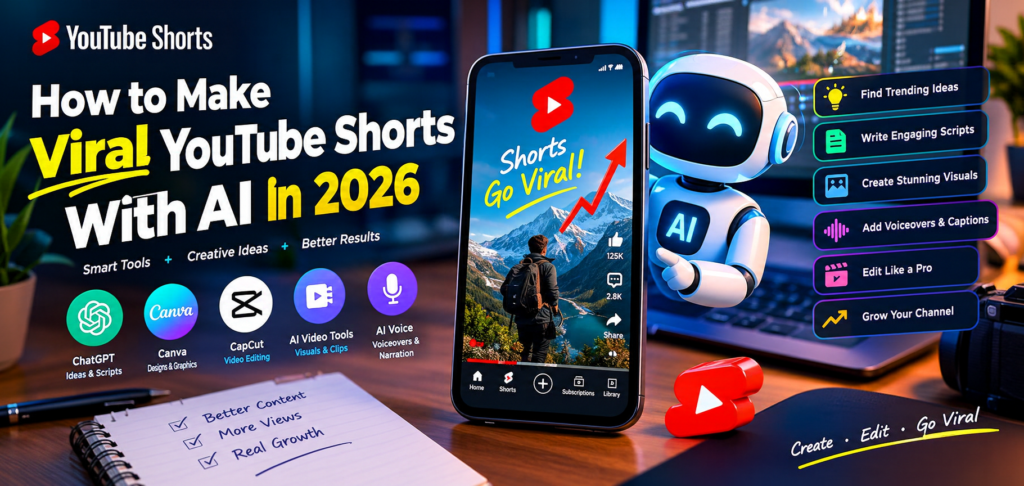
YouTube Shorts has become a powerful way for creators to reach new audiences, grow their channels, and build an online presence. With the help of artificial intelligence (AI), creating engaging short-form videos is easier than ever. You can use AI tools to generate video ideas, write scripts, create voiceovers, design visuals, and edit videos without spending hours on production.
However, using AI alone does not guarantee viral views. The real secret is combining AI-powered creativity with engaging storytelling, strong hooks, audience research, and consistent improvement.
In this guide, you will learn how to make viral YouTube Shorts with AI in 2026, discover useful tools, and follow a practical workflow to create videos that attract attention and encourage viewers to watch until the end.
What Are AI-Generated YouTube Shorts?
AI-generated YouTube Shorts are short-form videos created with the assistance of artificial intelligence. These videos can include AI-written scripts, generated images, animated scenes, synthetic voiceovers, automatic captions, and AI-assisted editing.
You do not necessarily need to appear on camera. For example, you can create educational videos using animated visuals, storytelling videos with narration, or tutorials featuring screen recordings and captions.
Popular formats for AI-assisted YouTube Shorts include:
- Interesting facts and educational videos
- Motivational stories and personal development tips
- Technology and artificial intelligence updates
- History and mystery storytelling
- Tutorials and how-to videos
- Animated explanations
- Travel and nature storytelling
- Original comedy sketches
- Productivity tips and life hacks
- Personal finance education
Choose a format that matches your knowledge, interests, and target audience. A focused channel is often easier to develop than one that publishes unrelated topics.
Why Use AI to Create YouTube Shorts in 2026?
AI can help creators simplify different parts of the video production process. Instead of handling every task manually, you can use AI to speed up research, brainstorming, writing, editing, and visual production.
Here are some important benefits.
1. Generate Video Ideas Faster
Coming up with fresh content ideas can be difficult, particularly when you are publishing regularly. AI writing assistants can suggest topics, questions, surprising facts, and storytelling angles based on your niche.
For example, a technology channel might create Shorts about common AI mistakes, useful productivity tools, or emerging digital trends.
Always verify factual claims before turning AI-generated ideas into educational content.
2. Write Engaging Scripts
AI can help transform a broad topic into a short, structured script. You can ask it to write a compelling opening, explain one central idea, and finish with a memorable conclusion.
The best scripts are focused. Rather than covering five unrelated tips in one video, explain one useful concept clearly.
3. Create Visuals Without Expensive Equipment
AI image and video generators can help produce illustrations, backgrounds, animations, and supporting scenes. These are useful for educational explainers, fictional stories, and faceless video formats.
You can also combine AI-generated assets with your own screen recordings, original footage, or simple motion graphics.
4. Save Time on Editing
AI-powered editors can assist with transcription, captions, silence removal, audio cleanup, and clip selection. These features help you spend more time improving the story and less time completing repetitive editing tasks.
5. Test More Creative Ideas
You can experiment with different openings, narration styles, visual approaches, and video structures. Use the results to understand which formats your viewers prefer instead of assuming that every AI-generated video will perform equally well.
Best AI Tools for Making YouTube Shorts in 2026
You do not need dozens of applications to begin. Start with a small set of tools that covers scripting, visuals, editing, and audio.
ChatGPT for Ideas and Scripts
ChatGPT can help you brainstorm topics, outline short videos, write narration, create hooks, and generate title variations.
Example prompt:
“Write a 30-second YouTube Shorts script about five surprising facts about space. Start with a powerful hook, use simple language, include three visual suggestions, and end with a question that encourages genuine comments.”
Review and personalize the output before recording or generating the video.
Canva for Visual Design
Canva can help you create text overlays, simple animations, branded layouts, and supporting graphics. It is useful for creators who want a consistent visual style without advanced design skills.
CapCut for Video Editing
CapCut offers editing features that can help with captions, transitions, timing, effects, and vertical video production. Feature availability may vary by device, region, and subscription.
AI Video Generators for Visual Scenes
AI video-generation tools can turn text prompts or images into short clips. They are useful for producing original visual scenes, animated explanations, and creative backgrounds.
Review every generated clip for visual errors, confusing details, and inconsistencies before publishing.
AI Voice Tools for Narration
Text-to-speech tools can turn a script into narration when you do not want to record your own voice. Choose a natural-sounding voice and adjust the pacing to match the visuals.
Use voices you have permission to use. Do not clone another person’s voice or imitate an identifiable person in a misleading way.
Pro tip: Start with ChatGPT for scripting and a video editor you already understand. Add other tools only when they solve a specific production problem.
Step-by-Step Guide to Making Viral YouTube Shorts With AI
Follow this workflow to create engaging YouTube Shorts efficiently.
Step 1: Choose a Profitable and Interesting Niche
Your niche influences the topics you cover, the audience you attract, and the types of videos you can produce consistently.
Some niches worth exploring include:
- AI tools and technology
- Educational facts
- Personal development
- History and mysteries
- Software tutorials
- Original storytelling
- Personal finance education
- Productivity and study tips
Do not choose a niche solely because someone claims it is easy to make money in. Consider audience demand, competition, your own interests, and whether you can offer something distinctive.
For example, instead of creating general technology videos, you could focus on practical AI tools for students or beginners.
A narrower topic gives you a clearer direction when planning your first 20 to 30 videos.
Step 2: Research Topics People Want to Watch
Before creating a video, look for evidence that people are interested in the topic.
Use YouTube search suggestions, relevant Shorts, comments, competitor channels, and Google Trends to identify questions people are asking. You can also examine the YouTube Studio analytics of your own channel to discover which subjects attract viewers.
Look for topics that meet three conditions:
- People are curious about the subject.
- You can present the information in an interesting way.
- You can add a fresh angle that existing videos may be missing.
For example, “AI Tools” is a broad topic. A more specific idea would be “Three Free AI Tools That Help Students Summarize Notes.”
Specific topics can make it easier to communicate the value of a video immediately.
Step 3: Write a Strong Hook With AI
The opening seconds of your Short should give viewers a reason to continue watching. Avoid lengthy introductions, unnecessary greetings, and generic statements that take too long to reach the point.
Here are three hook examples:
- Curiosity: “This simple AI trick can save you hours of work.”
- Problem-solving: “Still editing every video manually? Try this workflow.”
- Unexpected information: “Most beginners overlook this when creating YouTube Shorts.”
Make sure the rest of the video delivers on the opening promise. Misleading hooks may attract initial attention but can disappoint viewers and damage trust.
Try this AI prompt:
“Generate 10 engaging hooks for a YouTube Short about [your topic]. Keep each hook under 12 words, make it specific, and avoid exaggerated or unsupported claims.”
Select the strongest option and rewrite it in your own style.
Step 4: Create a Short, Valuable Script
Once you have your hook, build a script around one central idea.
A simple structure is:
- Opening: Introduce a problem, question, or surprising fact.
- Main section: Deliver the explanation, demonstration, or story.
- Payoff: Reveal the result or most useful takeaway.
- Ending: Offer a natural next step or relevant question.
For a 30-second video, you might begin with approximately 60 to 75 words of narration, then adjust based on speaking speed and pauses.
Avoid unnecessary filler. Every sentence should help the viewer understand the topic, stay interested, or reach the payoff.
Step 5: Generate Original Visuals
Your visuals should support the story rather than simply decorate the screen.
For an educational Short, you might combine an AI-generated illustration, a screen recording, animated labels, and a close-up of the relevant detail.
For a storytelling Short, use a consistent visual style, scenes that match the narration, and transitions that help the story move forward.
When using an AI video generator, write prompts that specify:
- The main subject
- The setting and action
- The desired visual style
- Camera movement, if relevant
- Lighting and atmosphere
- Vertical framing for mobile viewing
For example:
“Create a vertical cinematic animation of a futuristic city at night, with glowing buildings, gentle camera movement, realistic reflections, and a clear central subject. Do not include text or logos.”
Review the result carefully. AI-generated scenes may contain distorted objects, inaccurate details, or visual inconsistencies. Correct or replace anything that distracts from the story.
Step 6: Add Natural Voiceovers and Captions
Clear audio and readable captions can make a Short easier to follow, particularly when viewers are watching in noisy environments or with the sound turned off.
If you use AI narration, choose a voice that fits the subject. Adjust its speed, pronunciation, and pauses so that it sounds natural rather than robotic.
For captions:
- Use a readable font.
- Keep text short enough to scan quickly.
- Maintain strong contrast against the background.
- Correct automatically generated transcription errors.
- Keep essential text away from interface elements.
Avoid filling the screen with too many words. Captions should support the narration, not compete with the visuals.
Step 7: Edit for Retention
A good edit makes the story easy to follow and removes distractions.
Consider the following techniques:
- Remove long pauses and repetitive sentences.
- Change visuals when the story introduces a new idea.
- Use zooms or motion only when they add meaning.
- Keep music lower than the narration.
- Make the main point clear without requiring viewers to replay the video.
- End when the content has delivered its promised value.
Do not add a transition or sound effect to every second simply to make the video look busy. Clear storytelling is more important than excessive editing.
Step 8: Optimize Your Title and Description
YouTube SEO helps the platform understand the topic of your video and can help interested viewers discover it through search.
Write a clear title that communicates the benefit or subject. Include your main keyword naturally when it fits.
For example:
YouTube Short Title: How to Make Viral YouTube Shorts With AI
Description: Learn how to create engaging YouTube Shorts with AI using smart scripting, original visuals, voiceovers, captions, and editing tips for beginners.
Use a small number of relevant hashtags, such as #YouTubeShorts, #AITools, and #YouTubeGrowth, when appropriate. Hashtags can help categorize content, but they do not guarantee additional views.
Do not stuff your title or description with unrelated keywords. Make sure your metadata accurately describes the video viewers will see.
Step 9: Publish and Study the Results
After publishing, review the performance in YouTube Studio. Do not judge the entire strategy by the first few hours or by one video.
Useful metrics include:
- Viewed versus swiped away: Helps indicate whether viewers chose to watch rather than move to the next Short.
- Audience retention: Shows where viewers continue watching or leave.
- Average view duration: Indicates how long viewers watched on average.
- Average percentage viewed: Helps assess how much of the video people watched relative to its length.
- Engagement: Likes, comments, shares, and subscriptions can provide additional context about audience response.
Interpret these metrics together. For example, strong initial interest followed by a sharp drop may suggest that your opening is promising but the middle of the video needs improvement.
Create another version with a clearer explanation, a faster introduction, or a more satisfying payoff. Change one major element at a time when possible so that you can learn from the results.
How to Make Faceless YouTube Shorts With AI
A faceless YouTube channel lets you publish videos without appearing on camera. AI can help with scripting, narration, illustrations, and editing, making this format accessible to beginners.
Here is a simple production workflow:
1. Choose a repeatable format. Select a specific content type, such as software tutorials, educational facts, or original short stories.
2. Write an original script. Use AI to develop the first draft, then add your own research, examples, opinions, or explanation.
3. Build a visual sequence. Match each part of the narration with original footage, screen recordings, graphics, or generated scenes.
4. Add narration and captions. Make the content clear and easy to follow on a mobile screen.
5. Review the complete video. Check accuracy, pacing, audio quality, visual consistency, and copyright permissions.
6. Publish and improve. Track audience response and develop future videos around the formats that work best.
Remember that faceless does not mean personality-free. Your unique storytelling, editorial choices, humor, expertise, and presentation can distinguish your channel from other AI-assisted creators.
How to Make AI YouTube Shorts More Likely to Go Viral
No tool, posting schedule, hashtag, or SEO trick can guarantee viral results. However, you can improve your chances of reaching the right audience by focusing on the viewing experience.
Focus on the First Few Seconds
Start with the most interesting part of your story, a specific question, or a useful promise. Remove introductions that delay the main point.
Deliver the Payoff Quickly
If you promise a useful tip, provide it. If you tell viewers that an unexpected result is coming, make sure the ending justifies their attention.
Make Videos for a Specific Audience
A Short designed for beginner creators may not appeal to experienced video editors. Understand whom you are helping and choose examples, vocabulary, and pacing accordingly.
Use Trends Selectively
Explore relevant trending topics, sounds, and formats through YouTube’s tools and current videos in your niche. Adapt a trend to your audience rather than copying another creator’s work.
Develop a Recognizable Style
Use consistent narration, visual design, storytelling patterns, or a recurring series format. A recognizable style can help viewers understand what to expect from your channel.
Learn From Every Upload
Compare your best-performing videos with weaker ones. Look for differences in topic, hook, pacing, length, and viewer response. Use those observations to plan your next experiment rather than repeating the same approach blindly.
Common Mistakes to Avoid When Creating AI Shorts
AI can make production faster, but careless use can reduce quality and create policy or copyright problems.
1. Publishing Raw AI Output
A generated script or video may contain factual errors, awkward language, repetitive ideas, or misleading visuals. Review and improve every asset before publishing.
2. Copying Other Creators
Downloading someone else’s Short, adding an AI voice, or making minor visual changes does not automatically make the content original. Build your own scripts, commentary, editing, and creative perspective.
YouTube has emphasized original content in its Shorts recommendations, and reused or repetitive material may also create monetization problems. <Cite refs={[“turn887378search0″,”turn887378search2”]}/>
3. Ignoring Copyright
Use music, footage, images, voices, and other assets only when you have the necessary rights or permissions. Check the licensing terms of your AI tools and stock-media sources.
4. Creating Misleading AI Content
Do not use AI to fabricate events, impersonate real people, or present fictional scenes as genuine evidence.
YouTube requires disclosure for certain realistic AI-generated or meaningfully altered content. Check the current rules and select the appropriate disclosure setting when uploading. <Cite refs={[“turn887378search3″,”turn887378search4”]}/>
5. Using AI to Produce Mass Quantities of Repetitive Videos
Publishing many nearly identical videos is not a substitute for creating useful content. Develop a distinct idea and purpose for each Short.
YouTube’s monetization policies also distinguish original, authentic content from mass-produced or repetitive material. Review the applicable policies before building an automated publishing workflow.
6. Expecting Instant Results
Some Shorts receive limited attention, while others may find an audience later. Focus on improving your content and understanding viewer behavior instead of expecting every upload to go viral.
Can You Monetize AI-Generated YouTube Shorts?
Yes, AI-assisted videos can be eligible for monetization, provided they meet YouTube’s applicable monetization requirements and policies.
Using AI does not automatically make a video ineligible. What matters includes the originality and value of the content, rights to the material used, compliance with disclosure requirements, and the channel’s eligibility for the YouTube Partner Program.
For example, a creator who uses AI to produce original educational scripts, carefully edited visuals, and meaningful explanations is taking a different approach from someone who automatically uploads large quantities of repetitive, minimally transformed videos.
Before relying on Shorts revenue, review the latest YouTube Partner Program eligibility requirements for your country. Also consider other legitimate income sources, such as relevant affiliate links, sponsorships, or your own products, where appropriate.
A Simple 7-Day AI YouTube Shorts Action Plan
If you are new to AI video creation, use this one-week plan to establish a repeatable workflow.
Day 1: Choose your niche. Identify your target audience and select three content categories.
Day 2: Research ideas. Collect 10 relevant video topics and select the strongest three.
Day 3: Write scripts. Create three concise scripts with distinct hooks and clear payoffs.
Day 4: Produce visuals. Generate or collect suitable visuals and verify their accuracy and usage rights.
Day 5: Edit your videos. Add narration, captions, sound, and a consistent visual style.
Day 6: Publish and review. Upload your first Short and inspect its early performance data when available.
Day 7: Improve the next video. Identify one lesson from your results and apply it to the next upload.
This is a starting framework, not a guaranteed growth formula. Adjust the schedule to your available time and the amount of research and editing your niche requires.
Frequently Asked Questions
How can I make YouTube Shorts with AI for free?
You can start with free or free-tier tools for scripting, editing, captions, and graphic design. Availability and usage limits vary. You can also use YouTube’s own creation features where they are available to your account and region.
Which AI tool is best for YouTube Shorts?
There is no single best tool for everyone. ChatGPT is useful for ideas and scripts, Canva for graphics, and CapCut for editing. AI video and voice-generation tools can help when your format requires generated scenes or narration.
How long should an AI YouTube Short be?
Choose a length that suits the idea and keeps the story engaging. A simple tip might take 15–30 seconds, while a more detailed explanation may need longer. Do not stretch a short idea merely to fill time.
Can faceless AI Shorts go viral?
Yes, faceless AI-assisted videos can attract large audiences, but success depends on the topic, originality, storytelling, audience interest, and viewer response. AI does not guarantee reach.
Do I need to disclose AI-generated YouTube Shorts?
Not every use of AI requires disclosure. YouTube generally requires creators to disclose realistic synthetic or meaningfully altered content that viewers could mistake for real footage, subject to its current policy and exceptions. Production assistance such as script brainstorming or caption creation generally does not require this disclosure. <Cite refs={[“turn887378search3″,”turn887378search1”]}/>
Can AI-generated Shorts earn money?
Potentially, yes. The content must comply with the relevant monetization rules, including originality, authenticity, copyright, and disclosure requirements. AI use alone does not guarantee approval or disqualification.
Final Thoughts
Learning how to make viral YouTube Shorts with AI in 2026 starts with choosing a clear niche, researching audience interests, writing compelling hooks, creating original visuals, and editing each video to deliver value quickly.
AI can make these tasks faster, but your creative judgment remains essential. Use the tools to support your ideas, verify what they produce, respect copyright and disclosure rules, and study your analytics to improve over time.
Start with one focused topic, create a few high-quality Shorts, and learn from the response. Rather than chasing every trend, build a repeatable process that gives viewers a genuine reason to watch, share, and return to your channel.