

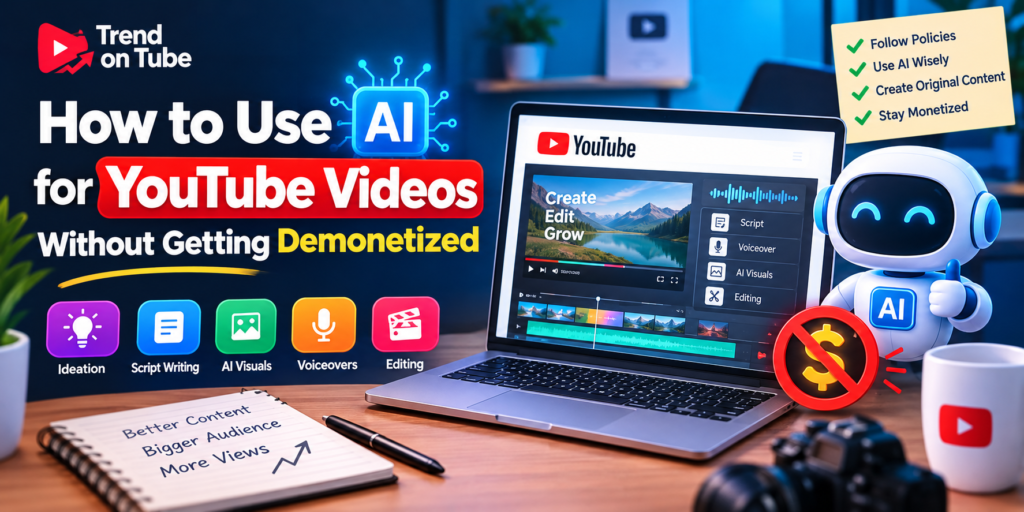
How to Use AI for YouTube Videos Without Getting Demonetized
Artificial intelligence is transforming the way creators make YouTube videos. From generating video ideas and writing scripts to creating voiceovers and editing footage, AI tools can make content production faster and more efficient. However, many creators worry about one important question: Can you use AI for YouTube videos without getting demonetized?
The answer is yes. Using AI does not automatically make a YouTube channel ineligible for monetization. What matters is how you use these tools, whether your content provides original value, and whether you follow YouTube’s monetization, copyright, and disclosure policies.
In this guide, you’ll learn how to use AI for YouTube videos safely, avoid common monetization mistakes, and build a channel that offers genuine value to viewers.
Can YouTube Monetize AI-Generated Videos?
Yes, AI-assisted and AI-generated videos can qualify for monetization if they comply with YouTube’s policies and meet the YouTube Partner Program requirements.
YouTube does not automatically prohibit content simply because it was created with artificial intelligence. Creators can use AI to brainstorm topics, write or improve scripts, generate visual assets, produce voiceovers, and assist with editing.
However, a channel may face monetization problems if its videos are mass-produced, repetitive, copied from other sources, or created with little original contribution.
For example, a detailed educational video that uses AI-generated illustrations alongside original explanations can offer meaningful value. In contrast, a channel that uploads hundreds of nearly identical videos using generic scripts, automated narration, and repetitive visuals may struggle to meet YouTube’s monetization standards.
The key principle is simple: use AI as a creative assistant rather than a substitute for originality.
1. Use AI to Generate Ideas, Not Copy Existing Content
AI tools can help you discover video topics, brainstorm compelling titles, and identify questions your audience wants answered. This is an efficient way to develop a consistent YouTube content strategy.
However, avoid asking AI to reproduce another creator’s video, article, or script with only minor wording changes. Rewriting someone else’s content does not automatically make it original.
Instead, use AI to explore a topic from different angles and then add your own research, examples, explanations, and perspective.
For example, instead of asking an AI tool to rewrite a competitor’s video about YouTube SEO, ask it to suggest original video ideas for beginners. Research the subject independently and create a script that addresses your audience’s specific needs.
This approach helps you produce more useful content while reducing the risk of copyright problems and repetitive material.
2. Write Original Scripts With AI Assistance
AI can help organize information, improve grammar, create outlines, and make complicated topics easier to understand. Nevertheless, publishing unedited AI-generated scripts at scale can result in generic videos that provide little distinctive value.
To create stronger scripts:
- Start with a specific question or problem your audience wants to solve.
- Use AI to develop an outline and organize the main points.
- Verify factual claims using reliable sources.
- Add original examples, personal insights, demonstrations, or analysis.
- Rewrite awkward or repetitive passages.
- Remove unnecessary introductions and filler.
- Make sure the finished script sounds natural and serves a clear purpose.
For example, a video titled “How to Grow a YouTube Channel From 0 Subscribers” should include practical steps, realistic examples, and actionable recommendations instead of repeating generic advice.
Remember that editing an AI script is not just about changing words. Your goal is to improve the information, usefulness, and overall experience for viewers.
3. Avoid Mass-Producing Repetitive Videos
One of the biggest risks for AI-powered YouTube channels is publishing large quantities of similar videos with minimal variation.
YouTube’s monetization policies address inauthentic content, including repetitive or mass-produced videos that lack meaningful differences or added value.
Using automation to create a production workflow is not necessarily a problem. The concern is whether the resulting videos offer original, useful, and engaging content.
For instance, consider two approaches:
Risky approach: Uploading dozens of videos that use nearly identical scripts, the same stock footage, generic AI narration, and repeated templates with only the topic changed.
Better approach: Producing individual videos with distinct research, carefully selected visuals, original explanations, and content tailored to a particular audience.
Before publishing a video, ask yourself whether it contributes something meaningful that viewers cannot get from a collection of repetitive, automatically generated uploads.
Quality, relevance, and originality should matter more than publishing volume.
4. Use AI Voiceovers Carefully
AI voice generators allow creators to produce narration without recording their own voices. They can be useful for tutorials, educational videos, explainers, and other formats.
Using a synthetic voice does not automatically disqualify a video from monetization. However, narration alone cannot make copied or low-value content original.
To improve AI voiceovers:
- Choose a natural-sounding voice appropriate for your audience.
- Review pronunciation, pacing, and pauses.
- Edit the narration to remove awkward wording.
- Match the voiceover with relevant visuals.
- Add original explanations and meaningful examples.
- Ensure you have the necessary commercial rights for the voice tool you use.
Avoid impersonating real people or creating misleading synthetic audio. Be especially careful with cloned voices, celebrity imitations, and audio that could falsely suggest someone said something they never said.
If you use a realistic AI-generated voice to depict a real person making statements they never made, YouTube’s altered-content disclosure rules may apply.
5. Create Original Visuals Instead of Reusing Random Clips
Visuals are an important part of an engaging YouTube video. AI image generators, animation tools, editing assistants, and licensed stock libraries can help you create a distinctive visual style.
However, AI-generated visuals do not automatically solve copyright or monetization issues.
A video may still face problems if it relies heavily on copyrighted footage, copied images, or reused material without sufficient original commentary or transformation.
To make your visuals more valuable:
- Generate custom illustrations that support your explanation.
- Create screen recordings for software tutorials.
- Use charts and diagrams to explain complex information.
- Add captions and annotations that improve understanding.
- Use properly licensed stock footage where appropriate.
- Combine visual assets with original storytelling and analysis.
For example, a video explaining how YouTube recommendations work could include custom diagrams, original examples, and demonstrations rather than relying entirely on unrelated stock footage.
Also, remember that having permission to use a clip does not necessarily guarantee YouTube monetization eligibility. Copyright compliance and reused-content monetization rules are separate considerations.
6. Understand YouTube’s AI Disclosure Requirements
Not every use of AI requires a disclosure on YouTube. The platform distinguishes between routine AI assistance and realistic, meaningfully altered or synthetically generated content that could mislead viewers.
AI-assisted brainstorming, script outlining, title generation, caption creation, and certain production enhancements generally do not require altered-content disclosure simply because AI was involved.
However, disclosure may be necessary when content realistically depicts a person, place, event, or situation that did not occur as shown.
Examples include:
- Making a real person appear to say something they never said.
- Creating realistic footage of a real-world event that never happened.
- Altering a real location or incident in a materially misleading way.
- Generating a realistic scene that viewers could mistake for an actual event.
When required, use YouTube’s altered-content disclosure option during the upload process.
Disclosure does not automatically make a video ineligible for monetization. The important thing is to follow the platform’s requirements and avoid misleading viewers.
If you’re unsure whether a particular AI effect requires disclosure, consult YouTube’s current altered or synthetic content guidance before publishing.
7. Follow Copyright Rules When Using AI Tools
AI-generated content can still create copyright risks. A tool’s ability to generate an image, song, voice, or video does not guarantee that every output is free from legal restrictions.
Before using AI-generated or third-party assets, check the tool’s terms, licensing conditions, and permitted commercial uses.
Pay particular attention to music, recognizable characters, branded material, celebrity likenesses, and copyrighted video clips.
To reduce risk:
- Use music from YouTube’s Audio Library or another properly licensed source.
- Check commercial-use permissions for AI-generated assets.
- Avoid uploading copyrighted videos or songs without appropriate rights.
- Keep records of licenses and permissions where useful.
- Do not assume that changing the speed, cropping footage, or adding AI narration makes copyrighted material safe to use.
Copyright law can depend on the country and the circumstances. When a project involves significant commercial use or uncertain rights, seek appropriate legal guidance.
8. Add Human Review to Your AI Workflow
A human review process is one of the most effective ways to improve AI-assisted content.
AI tools can generate incorrect facts, outdated information, repetitive explanations, awkward language, and misleading statements. Publishing without reviewing these issues can damage your channel’s credibility.
Before uploading a video, review it for:
Accuracy: Verify statistics, claims, names, dates, and instructions.
Originality: Check that the script and presentation provide meaningful value rather than copying existing material.
Viewer experience: Remove long pauses, repetitive sections, irrelevant visuals, and unnecessary filler.
Policy compliance: Review copyright, monetization, privacy, and disclosure requirements.
Presentation quality: Check audio levels, captions, transitions, pacing, and visual consistency.
A video does not need to be entirely created by hand to be valuable. It does need appropriate oversight and a clear purpose.
9. Choose AI-Friendly YouTube Niches That Reward Originality
Some YouTube formats naturally benefit from AI-assisted production, especially when creators add expertise, research, demonstrations, or creative storytelling.
Potential options include:
- Educational tutorials: Explain tools, concepts, and practical skills.
- Software walkthroughs: Demonstrate how to use apps and online platforms.
- Technology explainers: Break down new technologies and digital trends.
- Documentary-style videos: Combine research, narration, licensed footage, and original analysis.
- Data-driven explainers: Present information through charts, comparisons, and visual storytelling.
- Creative animation: Tell original stories using custom characters and scenes.
- YouTube SEO tutorials: Teach keyword research, titles, thumbnails, and channel optimization.
These niches are not guaranteed to have low competition or automatic monetization approval. Success depends on the quality of execution, audience demand, originality, and compliance with YouTube’s rules.
Choose a subject you can research thoroughly and develop into a recognizable channel rather than relying on generic automated uploads.
10. Optimize AI-Assisted Videos for Search Without Misleading Viewers
YouTube SEO can help people discover your content, but keyword optimization cannot compensate for low-quality videos.
Use AI to brainstorm relevant search terms and title variations, then choose language that accurately represents the video.
A practical optimization process includes:
- Identify the primary search intent behind your topic.
- Create a clear, compelling title that matches that intent.
- Write a description explaining what viewers will learn.
- Design a readable thumbnail that accurately represents the content.
- Add accurate captions and review automatically generated subtitles.
- Organize related videos into useful playlists.
- Analyze audience retention and improve future videos.
For example, the title “How to Use AI for YouTube Videos Without Getting Demonetized” clearly identifies the subject and the viewer’s concern.
Avoid misleading titles, unrelated keywords, exaggerated claims, and thumbnails that promise results the video cannot deliver.
Your title should attract the right viewers, while the video should fulfill the promise.
11. Understand YouTube Partner Program Requirements
Even if your AI-assisted videos follow content policies, your channel must still meet the applicable YouTube Partner Program requirements.
Eligibility thresholds and available monetization features can vary by country, program tier, and the type of monetization you want to access. Meeting numerical thresholds also does not guarantee approval.
YouTube reviews channels for compliance with monetization policies, and reviewers may consider the channel’s overall content, including its main theme, most-viewed videos, newest uploads, and other relevant factors.
Before applying:
- Review the current YouTube Partner Program eligibility requirements.
- Check your channel for repetitive or reused content.
- Confirm that you have the necessary rights to your assets.
- Remove or improve content that does not meet your quality standards.
- Make sure your channel follows applicable community guidelines.
- Review any monetization warnings or restrictions in YouTube Studio.
Do not rely on old tutorials for current eligibility thresholds. Check YouTube’s official documentation for the latest requirements applicable to your location and channel.
12. Common AI YouTube Mistakes That Can Hurt Monetization
Understanding common mistakes can help you avoid preventable problems.
Publishing raw AI-generated scripts
Unedited scripts may contain generic advice, factual errors, and repetitive sections. Improve them with research, original explanations, and careful editing.
Uploading videos in bulk without quality control
Publishing frequently is not automatically harmful, but mass production can become a problem when videos are repetitive or lack meaningful value.
Using copyrighted footage without permission
AI narration, captions, or background music do not automatically make someone else’s footage permissible to use.
Ignoring altered-content disclosure
Realistic synthetic or manipulated content may require disclosure. Check the applicable policy instead of assuming all AI content is exempt.
Using misleading AI-generated scenes
Realistic fabricated events or impersonations can undermine audience trust and may violate platform policies.
Expecting AI to guarantee monetization
No AI tool can guarantee YouTube Partner Program approval. The final content and the channel’s compliance matter.
Avoiding these mistakes will not guarantee monetization, but it can help you build a more sustainable channel.
13. A Practical Workflow for Creating Monetizable AI Videos
You can combine AI tools with human judgment in a repeatable production process.
Step 1: Research the topic. Identify the audience’s problem and verify the information you plan to present.
Step 2: Build an outline. Use AI to organize the video into a logical sequence.
Step 3: Develop the script. Edit the draft, add original insights, and verify all factual claims.
Step 4: Create the visuals. Use original recordings, custom illustrations, licensed footage, or other suitable assets.
Step 5: Produce the narration. Record your voice or use a permitted synthetic voice, then review the result for quality and accuracy.
Step 6: Edit the video. Match the visuals to the narration and remove repetitive or irrelevant sections.
Step 7: Check policies. Review copyright permissions, monetization suitability, and altered-content disclosure requirements.
Step 8: Optimize the upload. Write an accurate title and description, create a suitable thumbnail, and review captions.
Step 9: Publish and analyze. Monitor audience retention, engagement, and feedback to understand what needs improvement.
This workflow allows you to benefit from AI’s speed while maintaining editorial control over the final product.
Frequently Asked Questions
Can I monetize videos made entirely with AI?
Potentially, yes. YouTube does not automatically reject videos simply because AI created them. However, the finished content must comply with applicable monetization policies and offer sufficient original value. Fully automated, repetitive, or mass-produced videos may be ineligible.
Does YouTube detect AI-generated content?
YouTube has systems and disclosure processes relating to synthetic and altered content, but creators should not rely on whether a particular video will be detected. Follow the applicable policies and disclose realistic altered or synthetic content when required.
Can I use AI voiceovers on a monetized YouTube channel?
Yes, AI voiceovers can be used in monetized content. The voice itself does not guarantee eligibility, and creators should avoid misleading impersonations, respect applicable rights, and ensure the video provides original value.
Do AI-generated images cause demonetization?
Not automatically. AI-generated images can be used when appropriate, but the overall video must comply with YouTube’s policies. Creators should also consider copyright, licensing, and disclosure requirements when relevant.
Do I need to disclose every AI-generated video?
No. Routine AI assistance does not automatically require an altered-content disclosure. Realistic synthetic or manipulated content that could mislead viewers may require disclosure, depending on the circumstances.
Can I create a faceless YouTube channel using AI?
Yes. A faceless channel can use AI-assisted scripts, narration, editing, and visuals. Its success and monetization eligibility depend on the originality, usefulness, presentation, and policy compliance of the finished videos.
What is the safest way to use AI for YouTube?
Use AI to support research, brainstorming, production, and editing. Verify information, create original material, respect copyright, disclose qualifying synthetic content, and review every video before publishing.
Conclusion
Using AI for YouTube videos without getting demonetized is possible when you focus on originality, quality, transparency, and compliance.
AI can make content creation faster, but it cannot replace responsible research, editorial judgment, and a clear understanding of your audience. Avoid repetitive mass-produced videos, respect copyright, review realistic synthetic content for disclosure requirements, and make every upload useful to viewers.
The strongest long-term strategy is to build a channel where AI improves the production process while your creative decisions determine the quality of the final product.
Use AI to work smarter, create meaningful content, and build a YouTube channel that viewers have a genuine reason to watch.